In today’s marketing landscape, Copilot is revolutionizing Customer Insights Journeys by providing unparalleled support and intelligence. This article will explore the key functionalities that make Copilot an essential tool for enhancing customer experiences and driving business growth.
Copilot is an advanced AI assistant designed to enhance customer experiences across various touchpoints. Whether it’s through personalized recommendations, efficient problem-solving, or seamless interactions, Copilot is here to help you elevate your customer journeys. By leveraging AI and machine learning, Copilot can understand and anticipate customer needs, making every interaction more meaningful and productive.
Copilot features include the ability to create personalized recommendations, easily build segments and journeys, and even help you search your tables and records with greater precision. All of this by simply describing what, in natural language, you want create or search.
Build Segments with Copilot
Segments are the building blocks of marketing. They allow you to easily group your audience by attributes. Making it easy to personalize your recommendations, communications and journeys. With Copilot Query Assist Segment creation is easy and powerful.
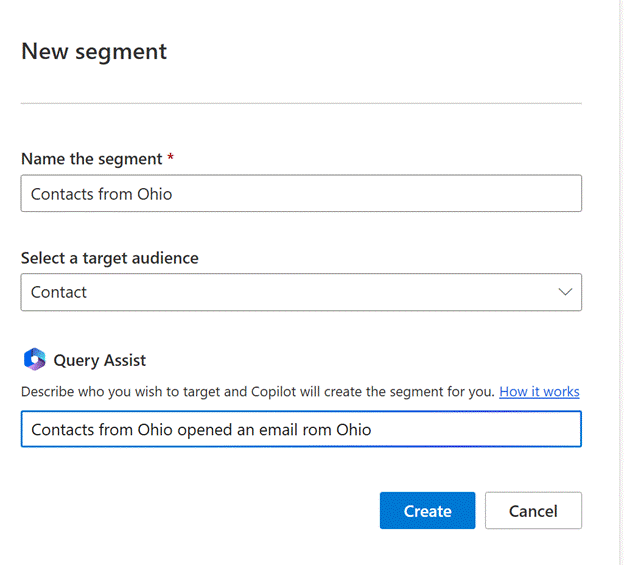
While in the Segments View select the New Segment option from the top ribbon. In the ensuing dialog box, give your segment a name, select the Target Audience (Contacts or Leads), and use the Query Assist to describe the audience you wish to target and select Create
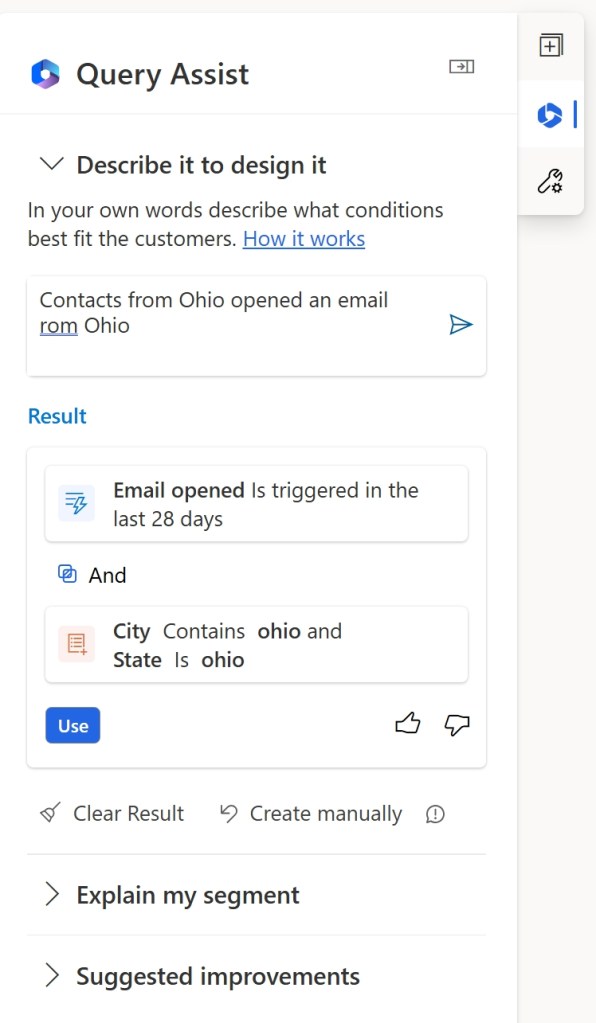
In the next screen you’ll see what Copilot suggests to build the segment. If you are happy with it, simply select Use
You’ll now see the results of the Segment creating using Query Assist. The Segment Builder shows the results in the main part of the screen, showing the Groups it created and allowing you to make any manual changes.
You’ll also see the Attributes it used to create the Segment including the the main table it used as well all the related tables it used.
If you’re happy with your Segment, Save it and select Ready to Use.

Building Journeys with Copilot
If segments are the building blocks of marketing, then journeys are the pathways that guide customers through personalized experiences, ensuring each interaction is meaningful and aligned with their needs and preferences. Copilot is here to assist in creating journeys that have the most impact
In the Journeys view, select New Journey. The dialog box opens and defaults to Create a Journey with Copilot (you can choose to Skip this method and build manually).
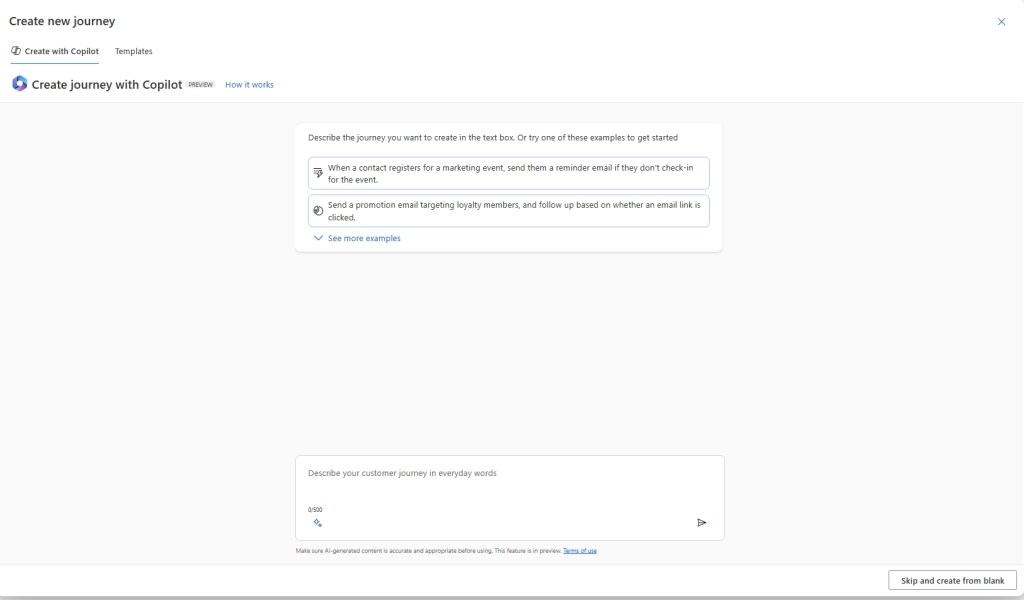
Use on the suggested prompts or enter your custom prompt to describe the Journey you wish to create for customers.
Once you submit the prompt, Copilot will show you a preview of your Journey in workflow steps.
Note that if a Trigger is required for a Journey, Copilot will search your triggers to find one that fits. If it doesn’t find one it will prompt you to select one manually, or prompt you to create a new one.

If you’re happy with the preview, select the Create Journey button and Copilot will create the journey and allow you to make further edits. When you are happy with it select Save and Publish. Note that you may need to make some updates such as selecting the Email to use, if the journey requires and you haven’t specified it in the prompt.
Add Email Content with Copilot
Email is a primary channel for marketing to customers and personalizing content for leads and contacts.
Copilot assists in this process by generating content ideas either through the use of suggested topical prompts or custom prompts described with natural language and keywords.
Select the Email view and Select New Email. Skip the Templates options and you’ll see the canvas to create a new email.
On the far right vertical tab select the Copilot logo
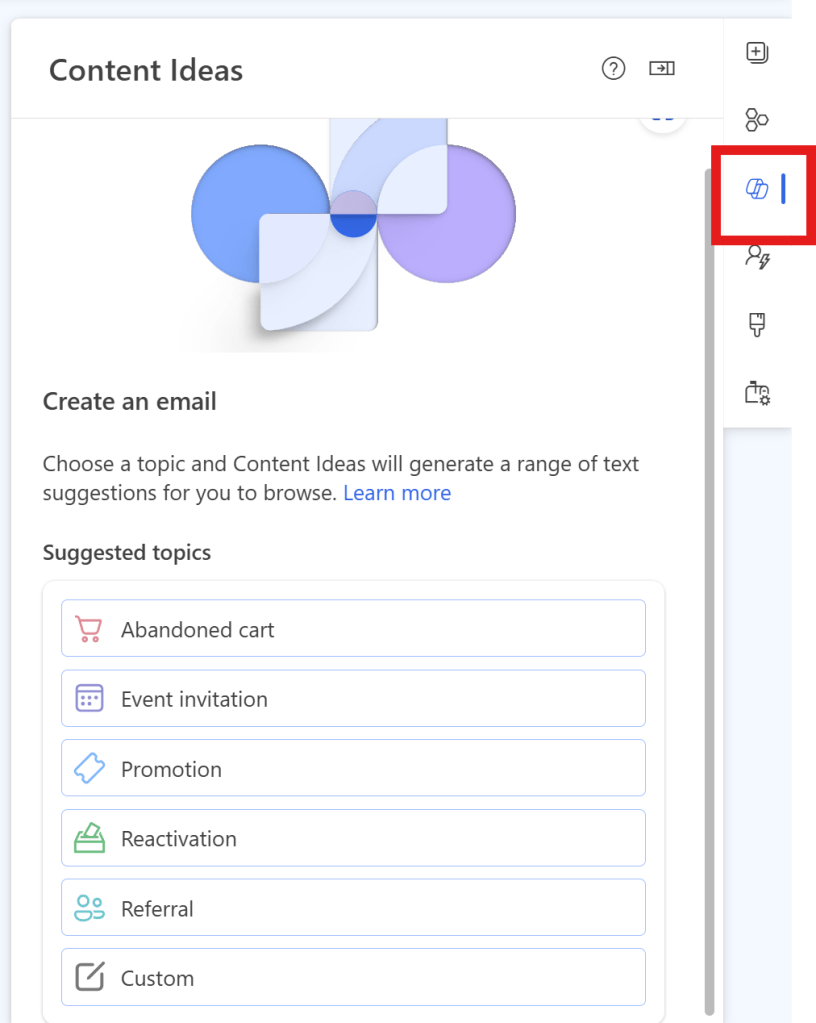
You’ll see several prompts focused on different frequently used topics such as Promotion or and Event Invitation. Feel free to select one of those who use the Custom option at the bottom to enter your own prompt and describe the email you want.
Once you select your prompt you can add up to five key points which you would like covered in the email. Add your key points and click Get Ideas.

Copilot will generate multiple draft emails for you to choose from and/or edit. If you find one you like select Get Ideas.

Browse through the drafts, if you would find you like, select Add to Draft in the top right above the draft. Copilot will always only create a draft and then allows you to add Edits before you Save and and click Ready to Send.
Conclusion
In conclusion, leveraging Copilot in Customer Insights Journeys significantly enhances the ability to create precise segments, design effective journeys, and craft compelling email content. This integration not only streamlines the process but also ensures that marketing efforts are more targeted and personalized, leading to improved customer engagement and satisfaction. By harnessing the power of Copilot, businesses can optimize their marketing strategies and drive better results with greater efficiency.
 321 Dynamics
Leave a comment